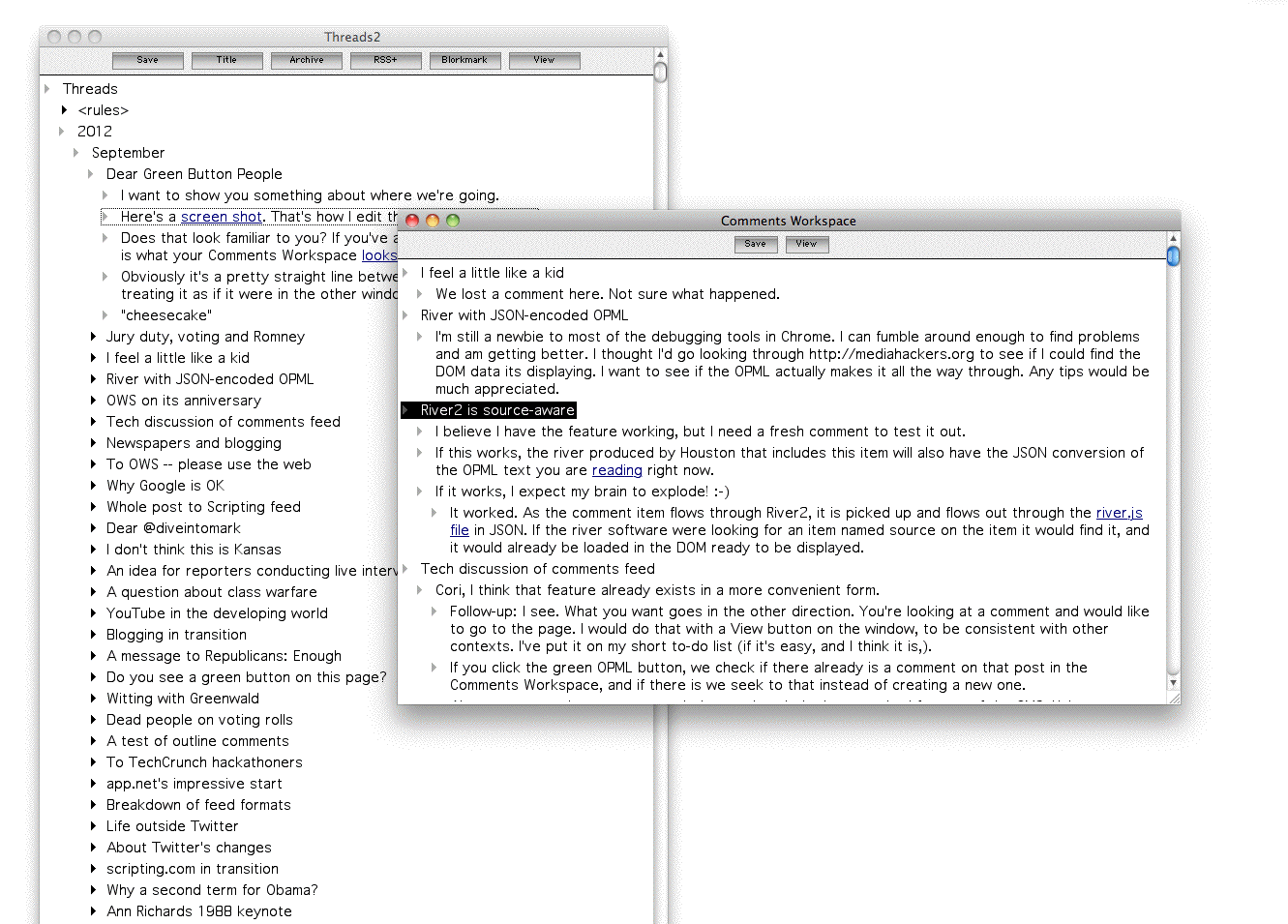
I want to show you something about where we're going.
Here's a screen shot. That's how I edit the posts on this site.
Does that look familiar to you? If you've already written a few comments, this is what your Comments Workspace looks like.
Obviously it's a pretty straight line between taking what's in one window and treating it as if it were in the other window.
PS: Go here to learn about the green buttons.
Some mechanic to be notified about the replies would be great!
Considered this system is used to aggregate text contributions for different websites and -services it will take a refrence to the respective service.
@Joshua, I find myself liking it, too. What I can't quite work out is why there's some pride associated with it. Because it's a narrow club, I suppose... Makes me feel slightly foolish!
Hey, what do you think of linking to the comment you're responding to?
Of course, then if somebody edits their comment, yours makes no sense at all. I coulda sworn when I started writing my comment, Joshua's said something like "Green button people; I like that."
may I please get an invitation to the world outline? jfreeman at gmail dot com
This is all starting look really cool, Dave. I can see how this could develop into a personal platform for everyone.
We just need to sort out how to make setup easier, which I think could be done.
If I could sort it out myself, I could write step by step instructionsÑI think I'm pretty good at helping people use platforms.
The Green Button is people!
BTW, if you want to browse my threads outline in the OPML Editor:
1. Copy this URL to the clipboard.
2. Launch the OPML Editor or bring it to the front.
3. Choose Open URL... from the File menu.
4. Paste.
It's opened read-only since it's my outline, not yours. :-)